QR codes undoubtedly remain an eye-catcher and offer companies the opportunity to easily establish a connection between the online and offline worlds. However, anyone opting to use them for marketing purposes should consider the design from the outset, ensuring that the content transmitted via QR (Quick Response) codes is usable on mobile devices.
Where do QR codes make sense?
While it may still be futuristic here, in South Korea, the British supermarket chain Tesco has integrated a virtual supermarket into the underground. The product shelves are displayed as posters, and each product features a code. Shoppers scan these while waiting for the train and then pay directly via their smartphone. The selected items can then be collected at the supermarket checkout whenever convenient. With this innovative measure, Tesco was able to increase its online sales by 130 percent within a year. And it's practical too.
Another excellent example is the use of QR codes on T-shirts. At large conferences, for instance, you can comically have your contact details, portfolio or website scanned. Codes are also ideally used in this way for fundraising appeals or competitions, where the winner is the conference participant whose shirt is scanned most often.
Another option is in restaurants or bars. Even when the establishment is closed, you can still access further information. A scan could automatically save contact details, or you could be linked directly to the website without having to type in the URL. Once inside the venue, you could complete newsletter subscriptions via QR code or bag free drinks and coupons.
Codes on billboards are also very popular. Unfortunately, the mistake is too often made of not only hiding them extremely well but also placing them in seemingly unreachable corners. On a 16-sheet poster, that's an art in itself. And who wants to contort themselves at a bus stop to scan the code? Furthermore, the inhibition threshold for pulling out one's phone at a billboard, loading the application and scanning the code is still very high and often not even perceived by many consumers.
The QR code on business cards is probably one of the classic applications. It is indeed very convenient to no longer have to laboriously type out contact entries, but simply scan them quickly. However, contacts can also be easily sent via MMS.
The Challenges
From the outset, effective use primarily failed due to the specific smartphone scanner. After all, what good is the most creative code if no one can read it? Scanners are still not automatically included as a smartphone app; they have to be downloaded first. And there are numerous providers with varying quality. It's not easy to find a suitable one straight away.
Furthermore, users often don't know what's hidden behind the codes. It could be a virus, or a site with inappropriate content. Scepticism among users remains very high in this regard.
How to design a QR code correctly
Nowadays, plenty of QR code generators are available for free download online. However, professional companies will probably have one created by a designer. And there are several things to consider.
- Among other things, codes can be displayed in various colours. However, care must be taken to ensure that the colour values (light/dark) are not swapped, as otherwise the code will no longer function.
- A designer must absolutely check if and how quickly the code they design can be scanned.
- For printing, the quality needs to be increased. In Photoshop, adjust the pixel dimensions or document size accordingly under 'Image Size'. Be sure to select 'Nearest Neighbour (preserve hard edges)' for the interpolation method. With this setting, QR codes can be enlarged to any size without loss of quality.
Furthermore, the code is customisable, and logo elements and figures can be inserted to a certain extent. The code itself can also be altered, for example, by rounding the corners.
An example of a practical QR code design is the “Scan for Japan” campaign for the Japanese Red Cross. The code provided information on how to donate to tsunami victims. However, the typical mistake was also made here, by linking to a website that was not optimised for smartphones.
Australian artist Yiying Lu demonstrates how she integrates QR codes into her paintings.
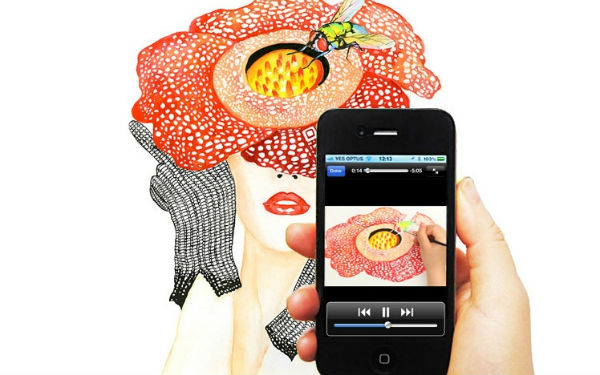
And here's the creation video:
QR-Code Checklist
- The code must be clear and large enough to be read even with lower quality scanners.
- The location where the QR code is placed must have WiFi or 3G access, as scanning is impossible without internet access.
- Only use QR codes where they can be easily scanned without security risks, for example, not on motorway billboards.
- The code must link to content that is easily usable on any smartphone. You should never send users to a page that is not optimised for smartphones.
- Ensure that you receive sufficient information to measure your marketing activity using an analytics tool.