Drupal is powerful – great things can be created without a single line of code. As a web agency, we rely on individual interface design. But precisely then, it makes sense to offer our site builders a selection of pre-made colour and typography combinations. In this specific case, we want to simplify the styling of individual Panels Panes and ensure that Panes are always outputted according to various predefined styles, with the help of a Panels Style Plugin.
Objective
To populate a sidebar with different pane boxes (colour, icons, typography, etc.) and offer various colour and typography combinations to choose from.
Assumptions
For our example, any Drupal 7 theme can be used. We are using a sub-theme “MYTHEME” based on Omega 4.x.
THEME_PATH: Path to the theme (e.g. sites/all/themes/MYTHEME) MYTHEME: Name of the theme color_preset: Name of our style plugin
Code: Gist on Github
Define Panels Style Plugin Directory
THEME_PATH/MYTHEME.info:
plugins[panels][styles] = panels/stylesThis line indicates that all Panels Style Plugins are located in the directory mentioned above (THEME_PATH/panels/styles). All .inc files stored there are automatically loaded as plugins.
Create Panels Style Plugin
THEME_PATH/panels/styles/color-preset.inc /** * @file * Custom panels color presets. */
// Register plugin $plugin = array( 'title' => t('Color preset'), 'description' => t('Set a color preset.'), // Note: render pane is prefixed with "theme_" in the method call! 'render pane' => 'MYTHEME_color_preset_style_render_pane', 'pane settings form' => 'MYTHEME_color_preset_settings_form', 'category' => t('MYTHEME'), );
/** * Renders the pane content. */ function theme_MYTHEME_color_preset_style_render_pane($content) { if (!empty($content)) { return theme('panels_pane', $content); } }
/** * Color preset settings form. */ function MYTHEME_color_preset_settings_form($style_settings) { $form = array(); $form['preset_color'] = array( '#type' => 'select', '#title' => t('Choose color preset'), '#default_value' => (isset($style_settings['preset_color'])) ? $style_settings['preset_color'] : FALSE, '#options' => theme_MYTHEME_color_preset_colors(), );
return $form; }
/** * Available color presets. * @return array */ function theme_MYTHEME_color_preset_colors() { return array( 'grey' => t('Grey'), 'yellow' => t('Yellow'), 'pink' => t('Pink') // etc. ); }
Note: The functions registered in $plugin, such as render pane and render region, are specified there without a theme_ prefix but are called with a theme_ prefix in the method call.
We will use the array keys defined in theme_MYTHEME_color_preset_colors() as a CSS class to style our panes according to the selection.
Preprocess Hook
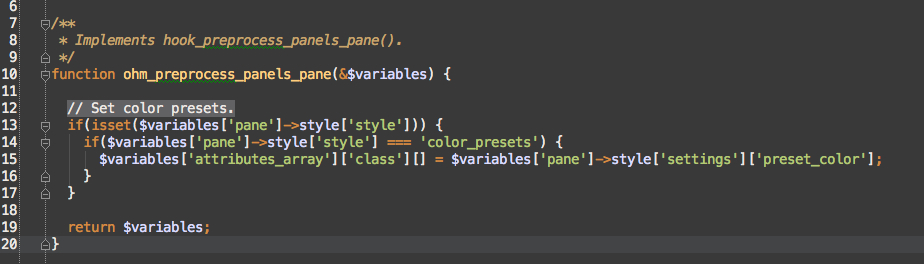
The preprocess hook checks if our style plugin is active and sets the CSS class on the Pane container according to the selection.
THEME_PATH/preprocess/panels-pane.preprocess.inc
/** * @file * Preprocess panels color presets. */
/** * Implements hook_preprocess_panels_pane(). */ function MYTHEME_preprocess_panels_pane(&$variables) {
// Check if our style plugin is active. if(isset($variables['pane']->style['style'])) { if($variables['pane']->style['style'] === 'color_presets') { // Sets the colour defined in theme_MYTHEME_preset_colors above as a CSS class $variables['attributes_array']['class'][] = $variables['pane']->style['settings']['preset_color']; } }
return $variables; }
Stylesheet
e.g. in THEME_PATH/sass/components/_color_preset.scss (if Sass is not used, then in the corresponding style.css):
.grey {
    background-color: #CCC;
    color: black;
}

.yellow {
    background-color: yellow;
    border: 1px solid red;
}

.pink {
    background-color: deeppink;
    color: white;
    font-size: 120%;

    h2 {
        text-transform: uppercase;
    }
}
Conclusion
With our style plugin, we have enhanced usability and ensured that individual panes always comply with corporate design specifications, even with future changes.