After spending the last two parts of the 'DIY Aquarium' on setting up the virtual machine and installing Barracuda and Octopus, we are now getting down to the fine-tuning and, so to speak, adding the 'pirate ship'.
File System
The most obvious question, of course, is how best to edit files. Ideally, we want to work with our chosen editor in the host system and transfer everything without constant uploads to the virtual machine.
Each of the common virtualisation solutions offers a way to share host system folders with the virtual machine. You can read the specifics of how this is done on the respective websites. They all have in common that the shared directories are available as drives under Linux, but they still need to be mounted. So, in principle, it would be possible to share a folder and mount it in the correct location within the VM. However, hard disk access to shared folders is noticeably slower, and you end up waiting a good 2-3 seconds for each page reload.
Another option would be to use an FTP client that supports mounting directories (e.g., Cyberduck, Transmit, or Forklift). This allows you to mount a virtual machine directory as a drive on the host system. However, I occasionally encountered issues with directories being mounted twice or having changing names, which is annoying when you set up fixed projects in your IDE.
The best solution for me is PHPStorm's Deployment feature. With this, you can specify a host for each project and optionally upload files directly upon saving. This way, both systems work on their native file system, and you don't lose performance anywhere. Uploads happen automatically in the background. Furthermore, you can quickly and easily switch the deployment server and synchronise the project to a live server.
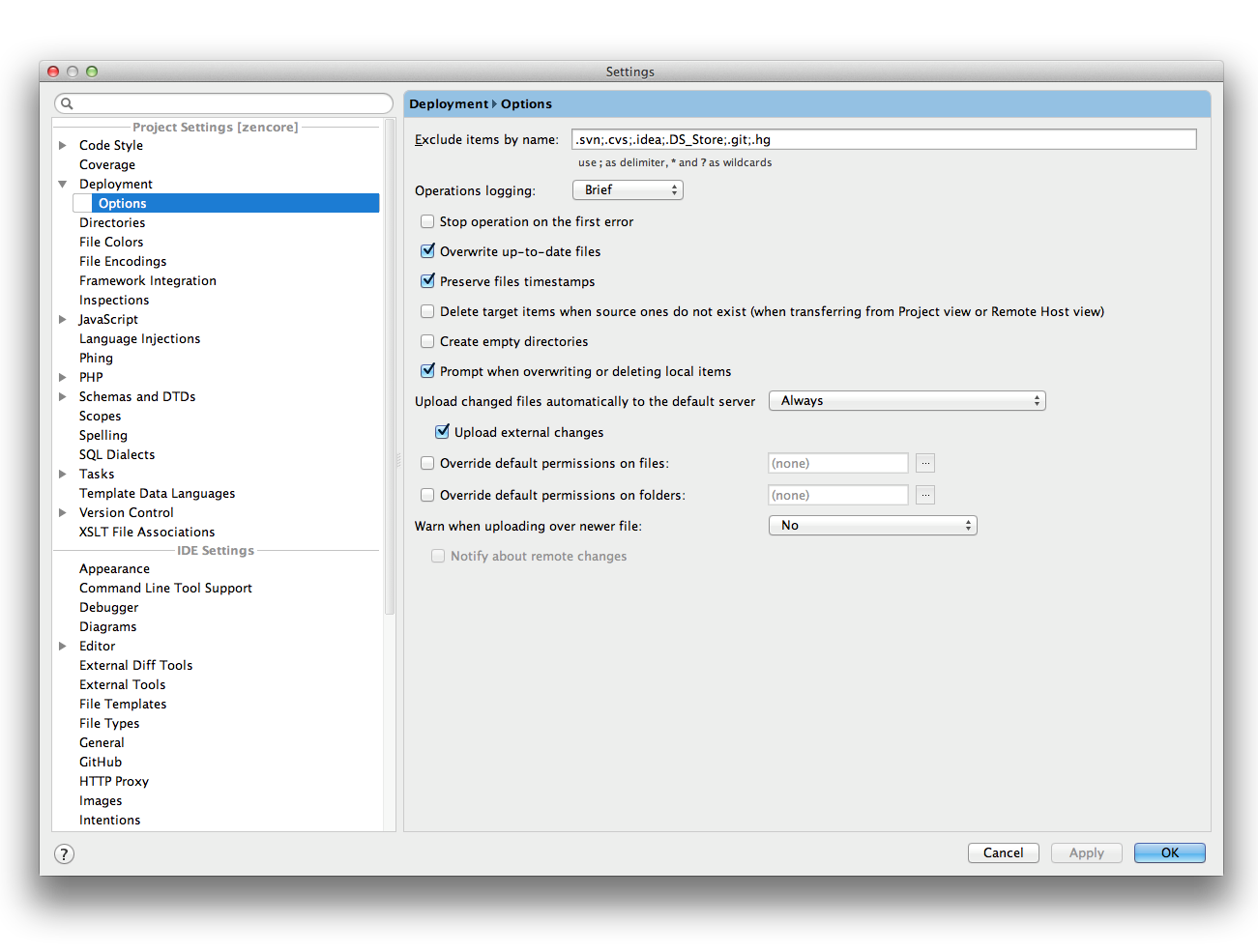
If you tick the corresponding option in the Deployment configuration, PHPStorm also monitors external changes and synchronises them automatically. This applies, for example, to SASS or CoffeeScript files, which first run through the respective preprocessor.
Addendum: NFS Sharing
Thanks to Sebastian (see comments) for the tip! I wasn't aware that NFS is so much faster than the built-in sharing options. Here's a small guide on how to set up sharing under Mountain Lion:
Edit (or create if it doesn't exist) the file /etc/exports on the host system.
/Users/philipp/Barracuda -mapall=philipp -network 10.211.55.0 -mask 255.255.255.0The folder /Users/philipp/Barracuda should, of course, be changed depending on where you want to store your platforms.
Running showmount -e in the terminal should ideally return the following output:
Exports list on localhost:
/Users/philipp/Barracuda            10.211.55.0
Then, we log in as root to our virtual machine and install the nfs file system...
apt-get install nfs-common... add the following line to /etc/fstab ...
10.211.55.2:/Users/philipp/Barracuda /data/disk/dev/static nfs defaults 0 0... and execute mount -a to mount the shared folder now and forever directly into the platform directory of our Octopus user. The IP address is that of the host system within the Parallels, VMware, or Virtualbox network. This can be easily found using ifconfig. Now we can drop platforms into the folder, modify source code, or work with Git as desired, and the changes will be transferred to the virtual machine without any detours.
Caching
Barracuda enforces CSS and JS aggregation by default for all pages, which can be a bit frustrating when you first play around with it. The solution, however, is quite simple.
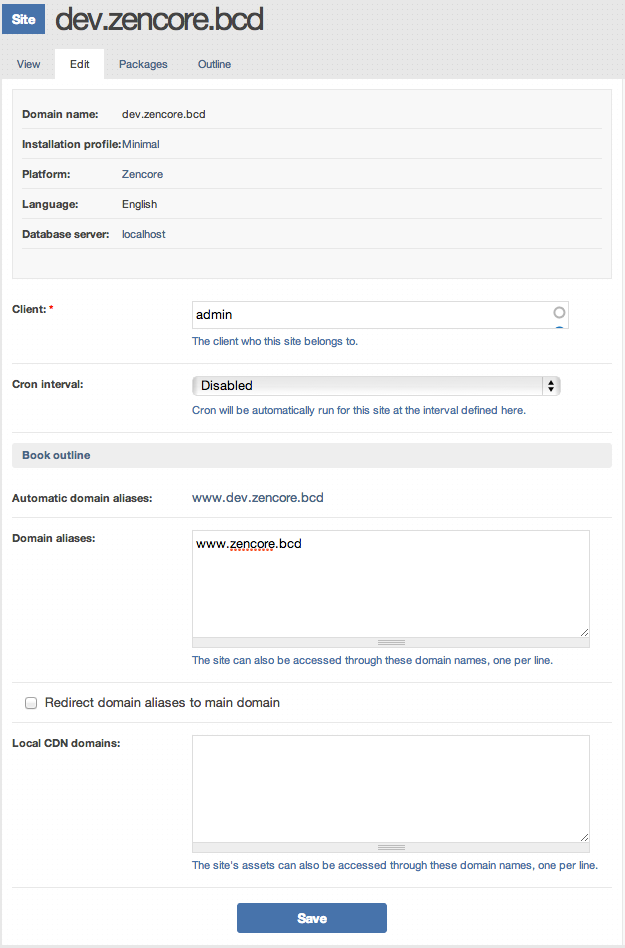
For subdomains that contain dev in any form, all caching is automatically and completely disabled. For example, if you create a new site 'www.drupal.bcd' in Hostmaster, it's enough to add an alias 'dev.drupal.bcd'. This immediately offers a few advantages. I use the normal domain, e.g., for click-intensive tasks like Views and Panels configuration, as the interface then runs a touch faster. In parallel, I can view the site in the dev domain while editing stylesheets without having to log in or out.
Livereload
Speaking of stylesheets, Livereload also works with our setup.
For those unfamiliar with Livereload: it's a small Mac app that monitors website folders and, in conjunction with browser plugins, updates the display as soon as linked files within them change. In the case of CSS sheets, this happens even without a refresh; it's truly instant. Anyone who works extensively with SASS/LESS/CSS and is willing to double their workflow speed should check it out. For me, it was some of the best money I've invested in my professional career.
Of course, the instant refresh doesn't work if we first have to transfer the file to our virtual machine via FTP. Luckily, Livereload has a clever feature called "Url Rewrite," which can be activated separately for each project.

This allows LiveReload to swap all stylesheet URLs on the page and replace them with calls to an integrated HTTP server, which then delivers them directly. This ensures instant refresh regardless of where the project is actually hosted.
Site Migration
We now have a great setup that allows us to install and develop many sites under real-world conditions and, most importantly, without constant configuration effort. However, it would also be important to migrate old projects to our new development environment. I won't go through each step individually here, as Omega8 has provided a detailed guide, which has allowed every project so far to be installed within minutes.
Development Workflow
Anyone who still regularly works with MySQL dumps might have become a little nervous. Barracuda abstracts the database quite a bit, and it's actually best to leave it that way. We usually work with installation profiles and features, thereby transferring all configuration into the source code. This means that, ideally, you can install the site within Aegir with just one click, without further configuration. It's well worth delving into this topic.
A very good presentation on the topic was written by Nuvole. Regarding installation profiles, there was a session at the Drupal Developer Days Brussels that is also worth watching.